


Versão do artigo: GitHub.com
Criar equipes
Você pode criar equipes independentes ou aninhadas para gerenciar permissões de repositório e menções para grupos de pessoas.
Were you able to find what you were looking for?
Thank you! Your feedback has been submitted.
Only organization owners and maintainers of a parent team can create a new child team under a parent. Owners can also restrict creation permissions for all teams in an organization. Para obter mais informações, consulte "Configurar permissões de criação de equipes na organização".
You can use team synchronization to automatically add and remove team members in an organization through an identity provider. For more information, see "Synchronizing a team with an identity provider group."
-
In the top right corner of GitHub, click your profile photo, then click Your profile.

-
On the left side of your profile page, under "Organizations", click the icon for your organization.

-
Under your organization name, click Teams.

-
On the right side of the Teams tab, click New team.

-
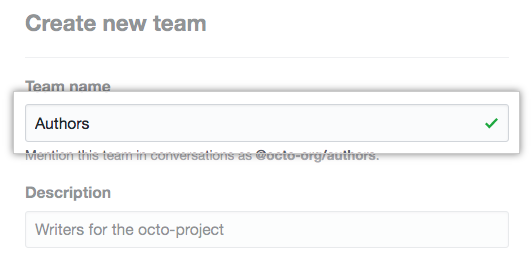
Under "Create new team", type the name for your new team.
-
Optionally, in the "Description" field, type a description of the team.

-
Optionally, if you're creating a child team, use the drop-down menu to choose a parent team for your new team.

-
Optionally, if your organization or enterprise account uses team synchronization, to connect an identity provider group to your team, use the "Identity Provider Groups" drop-down menu, and select up to 5 identity provider groups. For more information, see "Synchronizing a team with an identity provider group."

-
Decide whether the team will be visible or secret.

-
Click Create team.
-
Se desejar, forneça à equipe acesso aos repositórios da organização.
Further reading
Were you able to find what you were looking for?
Thank you! Your feedback has been submitted.
